You might want to upload more than one file, e.g. images to create a gallery, at a time. To do so, you can use an option called Bulk file upload.
1. In the Admin interface, click on the tool button

in the right top corner and select Bulk file upload.
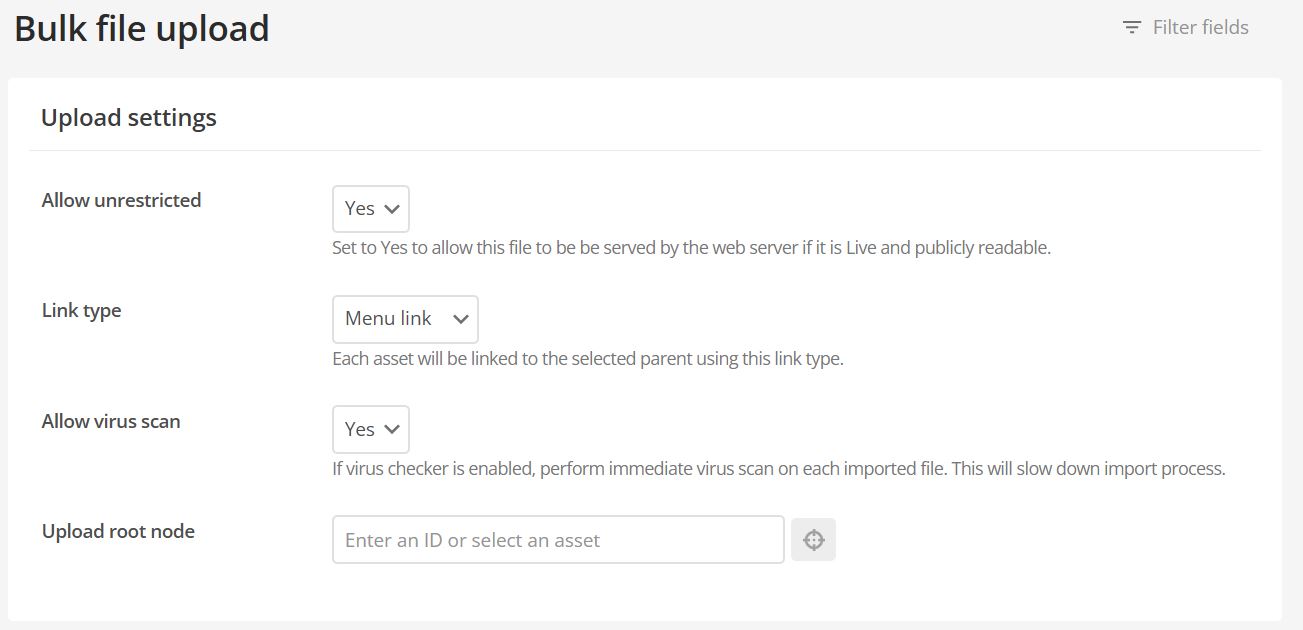 2. Change the link type from Menu link to Hidden link.
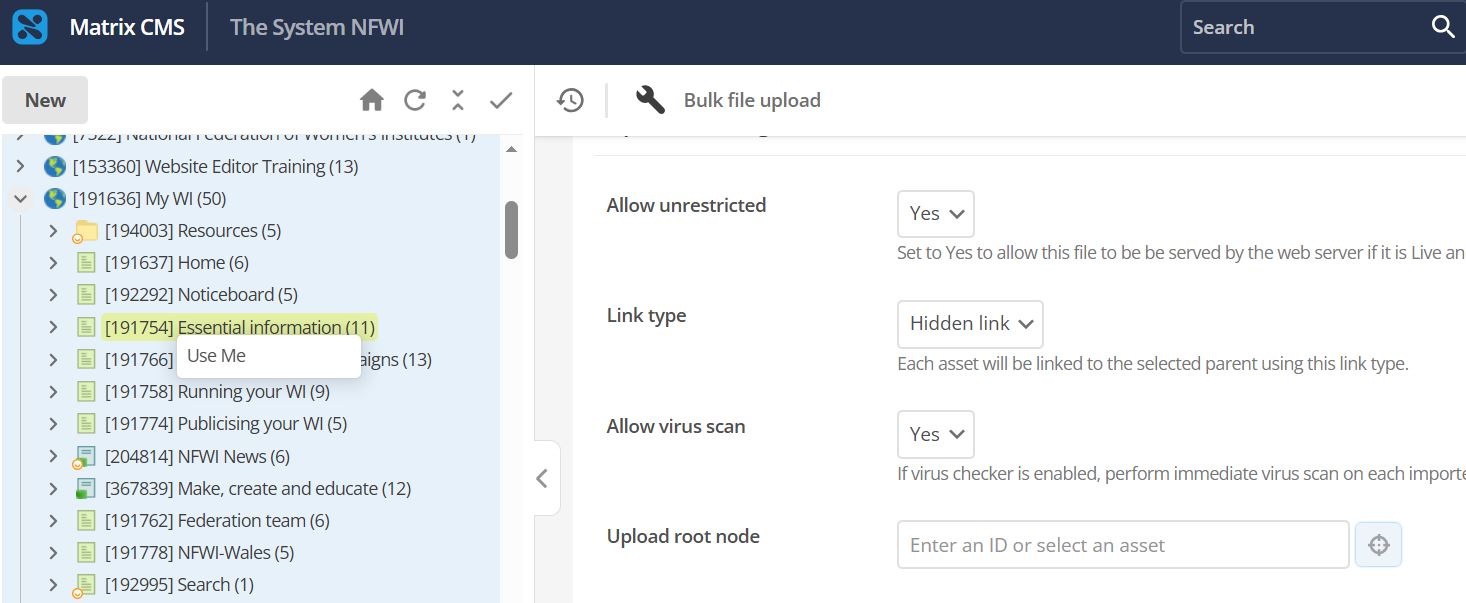
3. Under Upload root node, click the  button and then right click on the asset you would like the files to live under (e.g. a standard page or a folder) and click Use me.
4. Add the files you wish to upload by clicking Choose files under Upload queue. Once you have selected all the files you want to upload, click Start Upload.
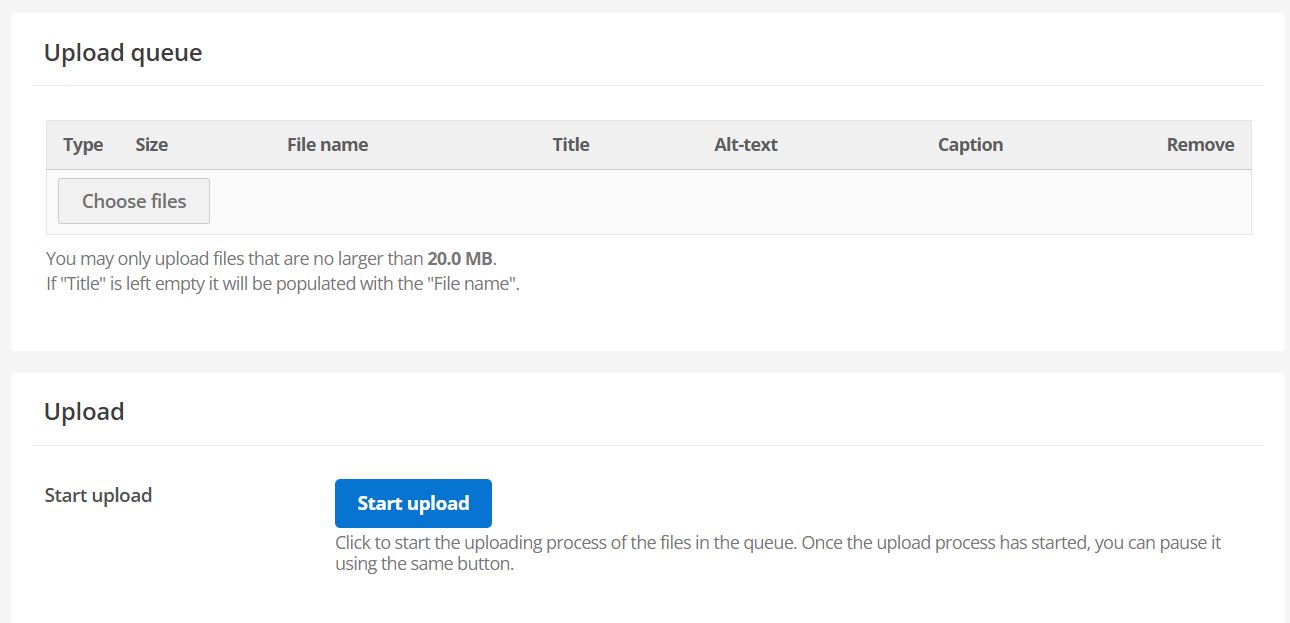
Important: make sure each file is no larger than 20.0 MB.
5. The files will now be saved under the asset you selected in step 3.