If you have a collection of photos or images that you would like to add to your page, then image galleries can be a very useful tool.
Image galleries allow you to display photos in less space and make it easy for users to browse through.
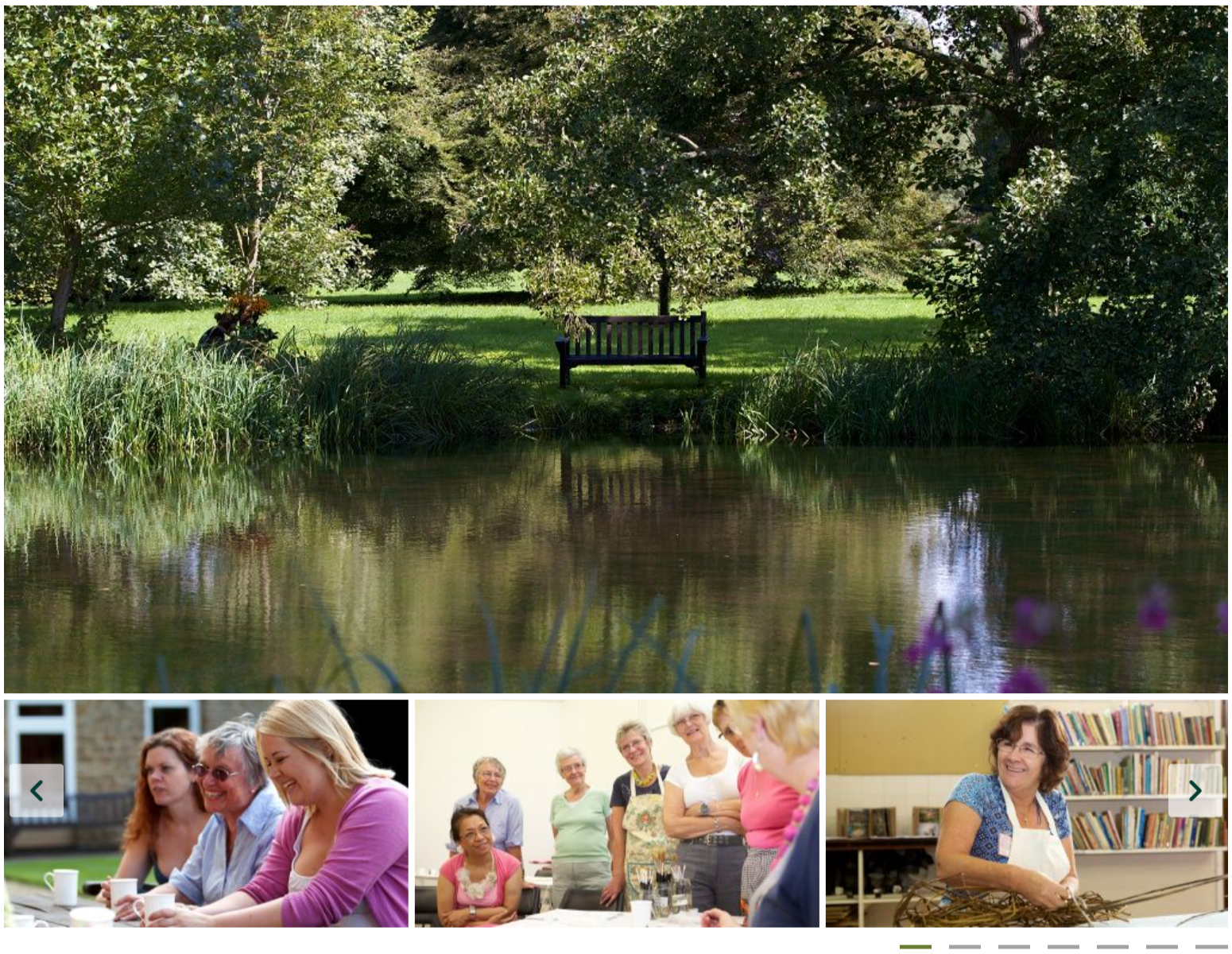
- The first step is to upload your images to Matrix, see the chapter on Uploading image files for more information.
Important: All your images will need to have the same dimensions (aspect ratio) for the image slider to work correctly.
The ideal aspect ratio for the image gallery is 16:9 (i.e. 1024x576, 800x450 or 560x315 would all work)
We have added some additional guidance on this at the bottom on this page.
- Once your images are saved on the system, navigate to the page you would like to add the image gallery to.
Then you will have to add a new component (formerly Content container) to the page.
Click the "+" button and click A) Slider to add the gallery template.
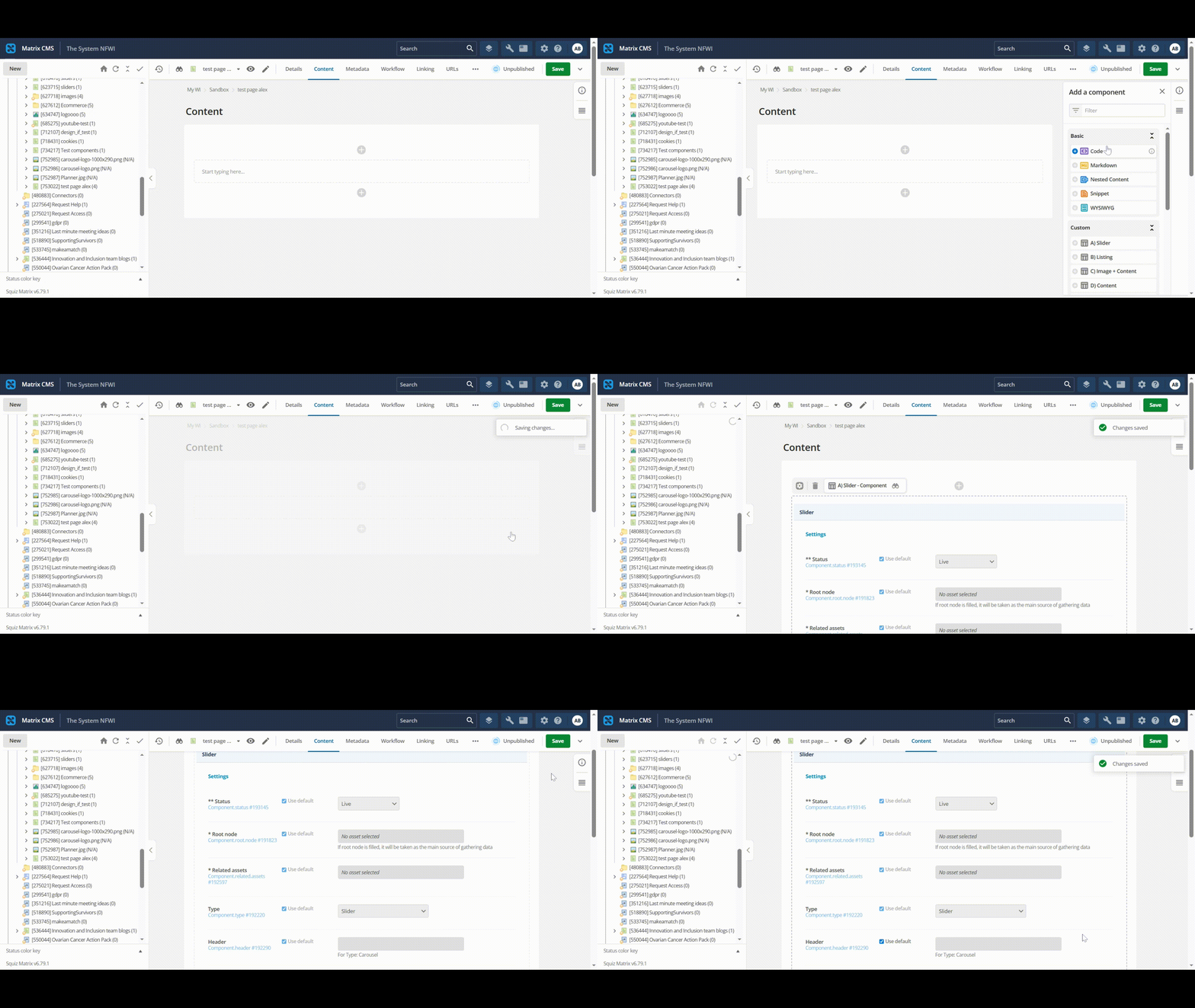
- Change the Header if you wish, then untick the Use default checkbox next to the Related assets field.
The component should now look like the below:
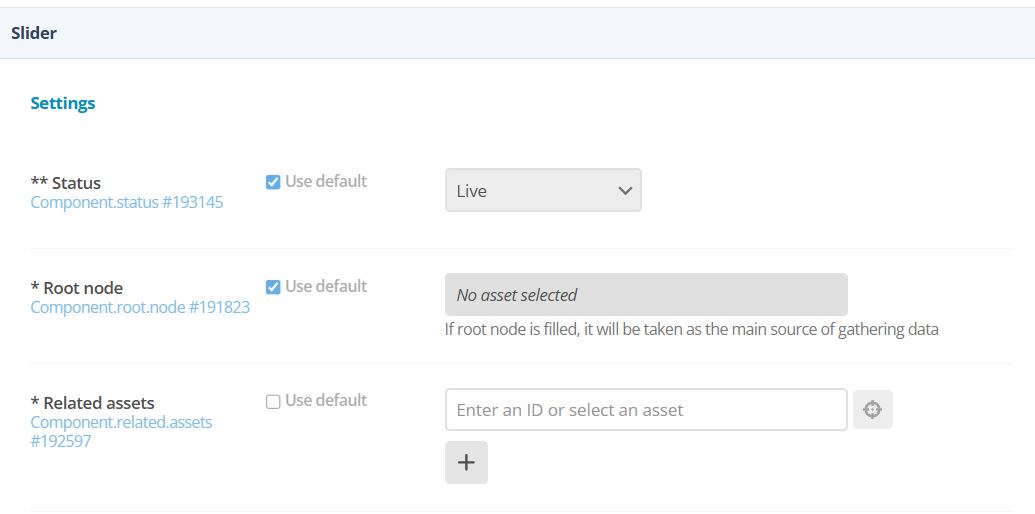
- Press the
 button to locate and add your first image via the asset tree on the left hand side.
 - Click the "+" button to continue adding your other images.
Please note, there is a limit of 10 photos in the gallery container, however, you can add another image gallery container to the page if you wish to add more photos.
- Once you have added all your images, "Save" the page.
Image editing
Matrix offers an in-built image editing tool you can easily use to resize your images. This is particular useful if you wish to add both landscape and portrait format images to your gallery.
- Navigate to the image you wish to edit and scroll to the Image section on the details screen.
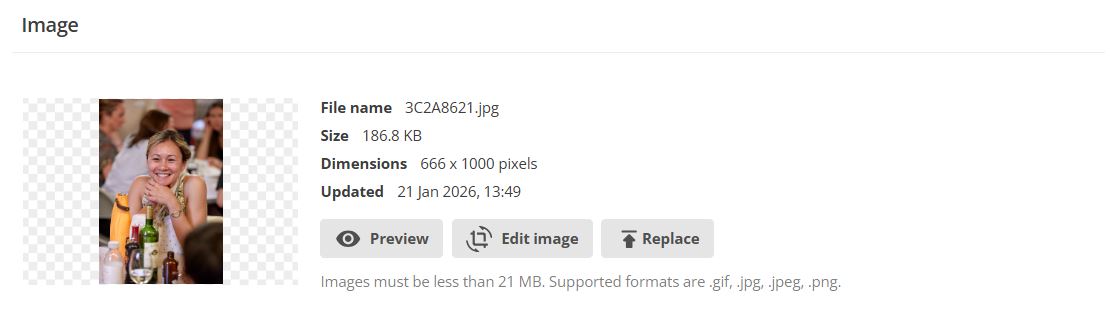 Click Edit image and select the Crop image
  button. A blue framed crop of your image will automatically be selected.
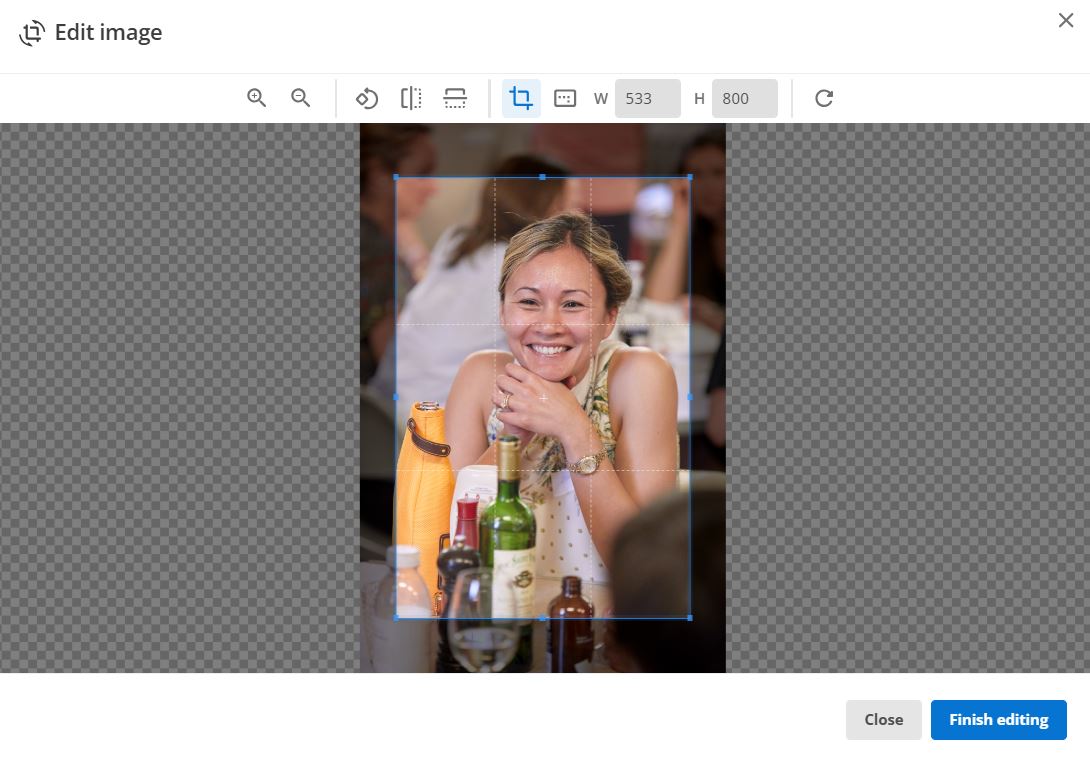 Now, click the aspect ratio button (= the little square with the dots right next to the crop button) and select 16:9.
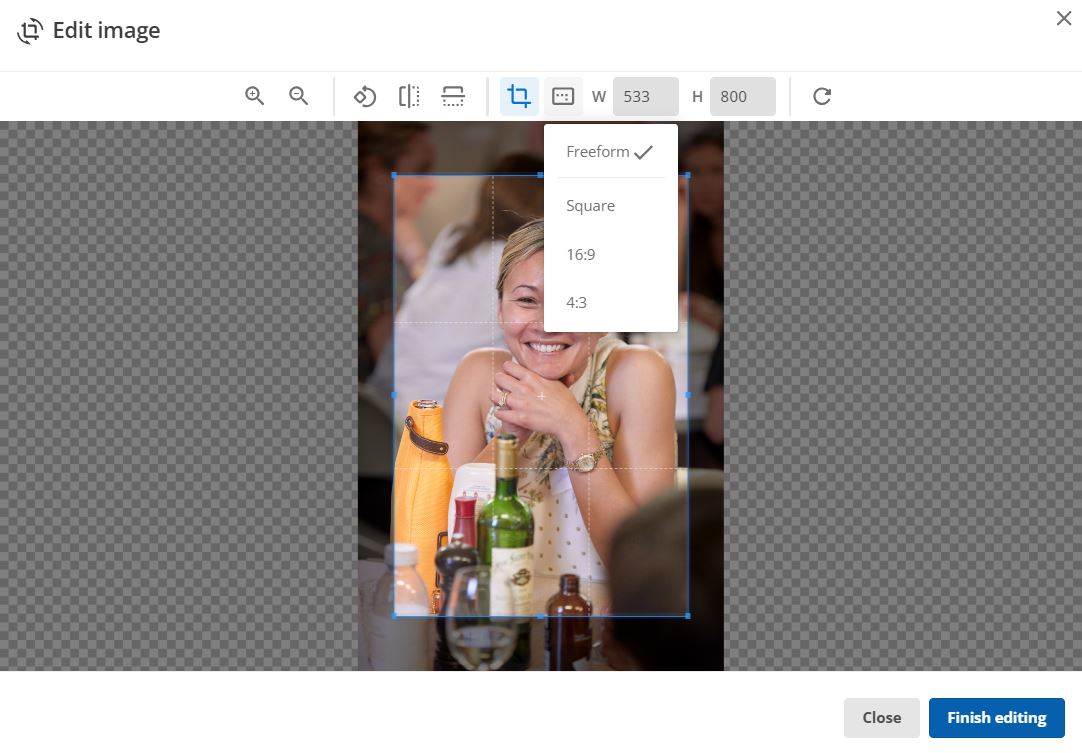 Move the new cropped frame to the area of the image you would like to show. (We are aware that this is not ideal when it comes to portrait format images as you might only be able to show a small part of the image)
- Click Finish editing and Save the changes.
If you have any questions or issues, please don't hesitate to get in touch with o.li@nfwi.org.uk