The Admin interface is the the user-friendly interface of Squiz Matrix that web editors will use when managing their section on the WI website. You will be using the Admin interface to create, edit and delete assets.
Accessing the Admin interface
To access the Admin interface you simply add the /_admin suffix to the end of either the main page of your Federation/WI or the page you intend to make changes to.
- Firstly you need to navigate to your Federations/WIs page on the NFWI website. You can refer to "Finding your Federation/WI" if you would like some help with this.
- Look at the URL in the address bar in your web browser. For example when navigating to the Abbots Leigh page their URL is: https://avon.thewi.org.uk/find-wi/abbots-leigh

- To access the Admin interface we simply type /_admin on to the end of the URL and press the Enter ↵ key on your keyboard or the "Go" button in your browser. For example to edit Abbots Leigh our URL would become: https://avon.thewi.org.uk/find-wi/abbots-leigh/_admin

Tip: It doesn't matter which of your pages you log in from, you can use the Asset tree to navigate to another asset once you are logged in to the system. If you log in to a page you lack editing permission for (i.e.
http://www.thewi.org.uk/_admin) you will see a message telling you that you don't have permission to edit that asset. Don't worry, just navigate to the section you do have permission to edit.
- If you are not already logged in you will see a login box.
- For most web editors, you will be logging in using your MCS/My WI credentials. To do this, click "Login via the MCS": you will be taken to a new page to enter your MCS/My WI login.
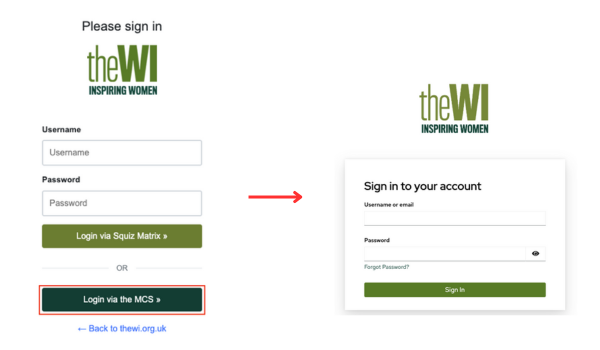
After clicking "Sign in", you will be redirected back to Squiz. Tip: If you have forgotten your password click "Forgot password?", follow the on-screen instructions and a link to create a new password will be emailed to you. If you have forgotten your username or you have recently changed your email address then please contact the NFWI digital assistant who will be able to assist.
- If NFWI have provided you with a specific login, you can use those credentials and log in via Squiz Matrix.
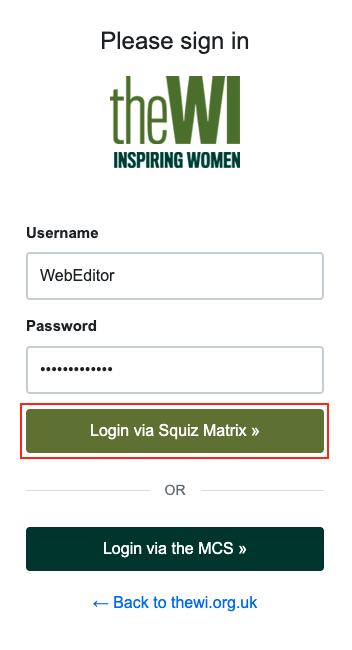
- After successfully logging in you will have access to Admin mode.